![SkyTrak_Logo-1000-1.png]](https://resources.skytrakgolf.com/hs-fs/hubfs/SkyTrak_Logo-1000-1.png?height=125&name=SkyTrak_Logo-1000-1.png)
Shipping - What do we cover?
- In Warranty (IW) - If the unit is within warranty, we send the user a shipping label.
- We made a mistake - We send user a shipping label.
Shipping – What we do NOT cover
- Out of warranty (OOW) - If the unit is out of warranty.
- Returns - All returns go to our Warehouse in Centennial.
- Changed their mind – User’s that want another product.
Warranty, Time Frames and Missing Items
Process for warranty claims/replacements
User contacts us with order number - sends photo of the defect and we verify that it is under
warranty.
Create an RMA, add notes on the ticket of the defect, once we have received the item in the
warehouse, we can place an order for the replacement.
Enclosures
?
Projectors
?
Projector Warranty – Send to Studio Support
They go through Optoma directly.
https://www.optomausa.com/service-and-support/rma/opam-rma-procedure
Best Buy Items (Laptops/iPads)
-Within 30 days of delivery: initiate an RMA through our system, we will reach out to Best Buy.
-Outside of 30 days: Direct customer to manufacturer support
Gigabyte A16: https://www.gigabyte.com/Support/Consumer
Legion: https://support.lenovo.com/us/en/
Apple: https://support.apple.com/contact
User Receives a mat that is too short
Ask user for a picture of the mat with dimensions to verify that it was cut wrong, if it was send user a replacement. There is no need for the mat to be returned to the warehouse.
Missing Items
File a claim
Repairs
Process for Repairs
User contacts us with issue and troubleshooting is done. When the TSR agent decides there are no more troubleshooting options, the unit can be sent to be inspected.
If unit is IW - Create RMA form. Select YES for shipping label needed.
If unit is OOW- Please create an RMA form. Select NO for shipping label needed
Monitor – Diagnosis
IW – Unit has to be sent to Rapsodo (RP) for Repair
We will send a Pre-Owned Certified unit. This is to minimize traveling time from Warehouse - Rapsodo (overseas) - back to the warehouse and then back to the user.
OOW - ST+ & STOG
Repair team will tell us what the repair level is, we inform the user, send him an invoice for the
repair. Once the invoice has been paid for the Repair team will execute repairs and send the unit
back.
Repair Cost:
Customers must be given the range for repair costs, not an estimate on which level they will have to pay. Diagnostics fee is $150 USD.
STOG OOW- Return to (RP) or any other questions.
Please reach out to Vianney Collard or Kelsey Mihm.
Single Blue Light issue – within a year of purchase
Repair is covered under warranty if OOW user pays for shipping.
Where to Send Repairs
The following areas are to be treated as regular RMA:
- American Continent
- Africa
- Asia
- Europe
We only have 1 repair center located in Colorado; the following are to be treated as first
points of contact for international users.
Europe:
Requires an international RMA
Australia, New Zealand, Tasmania.
Please direct to 24/7.golf
Middle East – Saudi Arabia, Bahrain,Kuwai, Qatar, United Arab Emirates, Oman:
Please gather all RMA information as usual and email : dmorrissey@skytrakgolf.com
Step by Step Process
1. Create a new ticket on the top right hand side of the HubSpot home page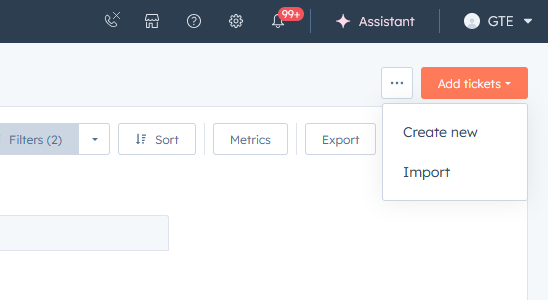
2. Change the pipeline to RMA - SkyTrak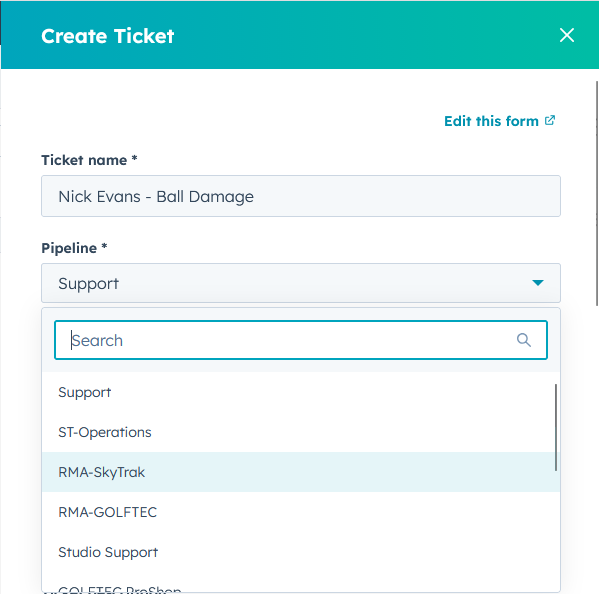
3. The title of the RMA should be: Customer Name -Unit Issue. International RMAs require an INT preceding the customer name.
4. Fill out all fields using the criteria above.
*Include in box needs only the unit if it's a repair. If it's a replacement or return, include everything that comes inside the SkyTrak box upon delivery.
-SkyTrak unit
-Manuals/Box
-Charging Cable
*Shipping location should always be SkyTrak Warehouse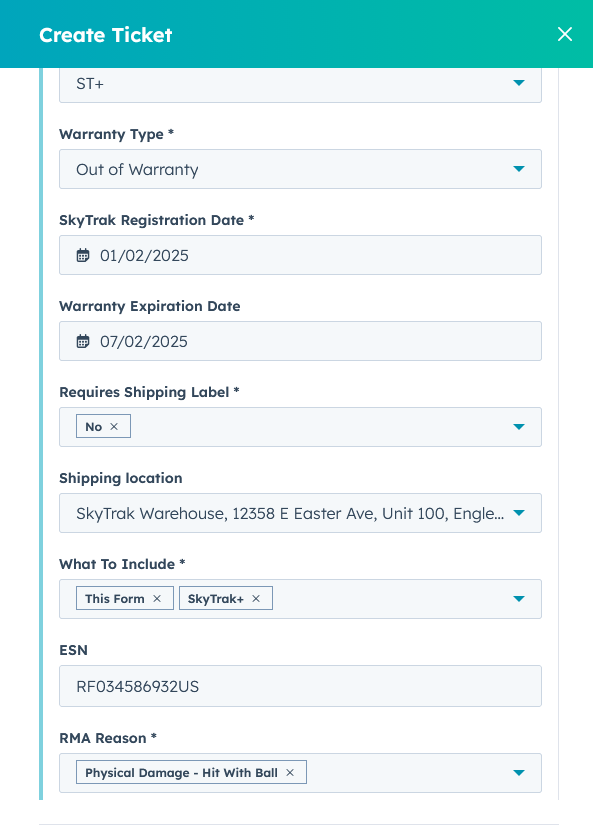
5. Set the ticket owner to NONE
6. Set the Source to EMAIL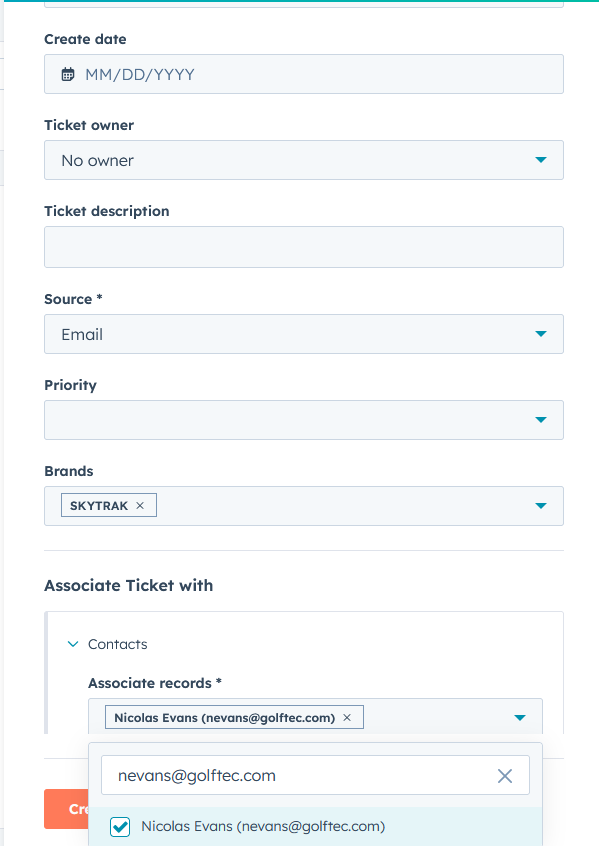
7. Set the contact to the email on the SkyTrak account and preferred email of customer
8. Click Create
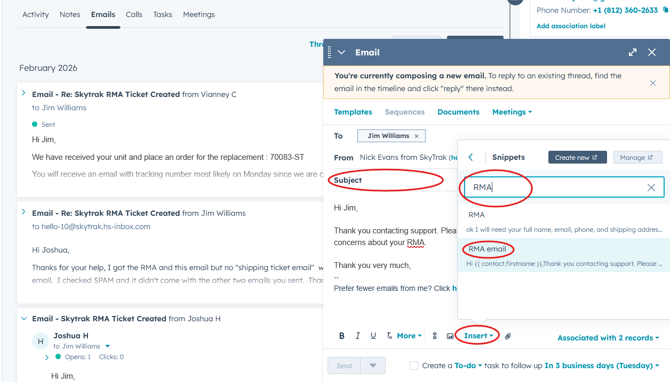
9. Click "Emails" on the generated ticket, then "Create Email".
10. Set a subject line, then click "Insert", then "Snippet", and "RMA Email", and Send.