![SkyTrak_Logo-1000.png]](https://resources.skytrakgolf.com/hs-fs/hubfs/SkyTrak_Logo-1000.png?height=22&name=SkyTrak_Logo-1000.png)
*NOTE This is applicable to Windows devices only
If your LED indicators show Green-Yellow-Red while disconnected, perform a reset first.
1. Plug the WiFi adapter into any USB port on your PC
2. Click the WiFi icon at the bottom right corner of your screen, then the arrow next to the WiFi tile in the resulting panel.
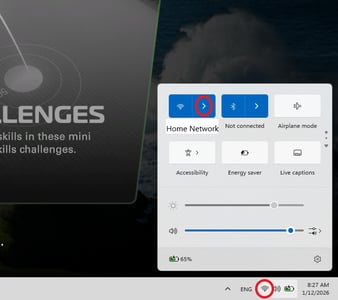
3. Make sure "WiFi" is connected to your home WiFi network
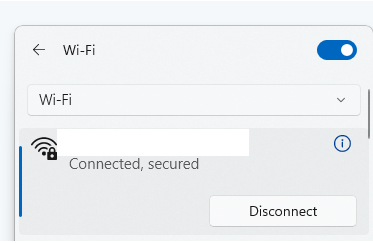
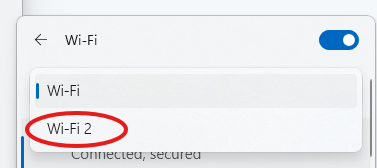
4. Click the drop-down menu at the top of the list of WiFi networks, then switch to "WiFi 2"
5. Connect to the "STPLUS/STMAX/SKYTRAK" WiFi network
STPLUS Password: skytrakplus
STMAX Password: skytrakmax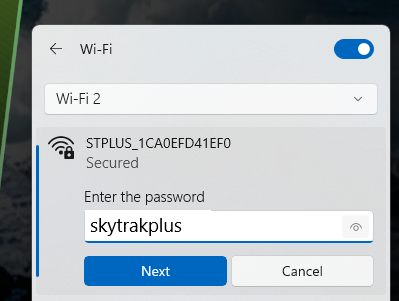
Open the SkyTrak application. You should now be connected in Direct Mode, yet still be able to download courses.