![SkyTrak_Logo-1000.png]](https://resources.skytrakgolf.com/hs-fs/hubfs/SkyTrak_Logo-1000.png?height=22&name=SkyTrak_Logo-1000.png)
1. Check that your PC or iPad is connected to your home WiFi network, not the SKYTRAK/STPLUS/STMAX WiFi network.
*You don't need to have your SkyTrak connected in Network Mode to sync data. Session data is stored on the device running the software.
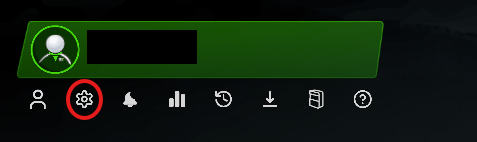
2. Click the Gear icon under the Player Hub at the top left corner of the homepage
3. Set "Off Hours Upload" under "Sync and Data" to OFF.
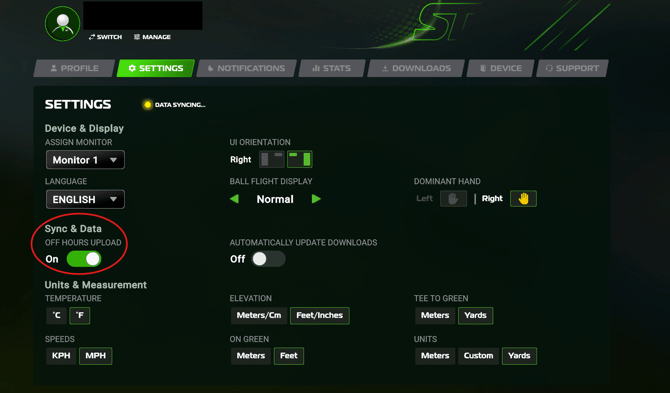
The "DATA SYNCING" Indicator should change to "DATA SYNCED" within a few minutes.
If you are on an older version of the application, please review THIS ARTICLE